

Planner 5D is a popular online home design platform that empowers homeowners, hobbyists, and even professionals to create stunning interior and exterior designs with ease. It’s an all-in-one design solution that combines intuitive tools, creative flexibility, and modern technology to make planning your dream space both accessible and enjoyable. With a focus on user-friendly features, Planner 5D has grown into one of the leading design tools available today, attracting millions of users globally who want to visualize their ideas in both 2D and 3D environments.
Whether you’re redesigning a room, laying out an entire house, or experimenting with landscaping and décor, Planner 5D offers the tools to bring your vision to life. The platform’s appeal lies in its balance between simplicity and power: it’s sophisticated enough for detailed layouts and realistic renders, yet intuitive enough for beginners with no technical design skills.
Intuitive Floor Planning and 3D Visualization
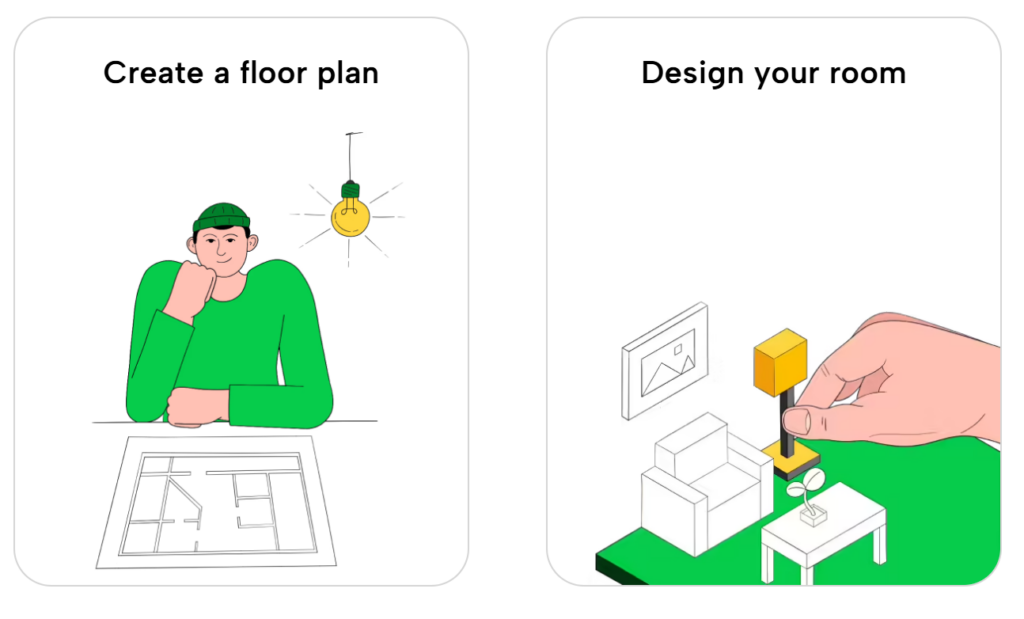
At the heart of Planner 5D is its versatile floor plan creation system. Users can start from scratch by drawing a layout from the ground up, or they can upload an existing floor plan image and convert it into an editable 3D design. This flexibility allows anyone, from DIY enthusiasts to real estate professionals, to quickly prepare accurate layouts without needing specialized architectural software.
Once a basic plan is in place, the platform lets you switch seamlessly between 2D and 3D modes. In 2D mode, you can focus on the structure and measurements of your space; in 3D mode, you can walk through the environment visually, checking placement, lighting, and scale in a realistic context. This dual-view functionality helps users make informed decisions before committing to real-world changes, saving time and reducing costly mistakes.
Extensive Catalog and Design Customization
One of the standout features of Planner 5D is its extensive design catalog. With thousands of furniture pieces, décor items, materials, and finishes to choose from, users can experiment with countless combinations to match their style preferences. The free version of the platform includes a base selection of catalog items, while the premium version unlocks access to over 8,000 furniture and décor objects, enabling more detailed and comprehensive design options.
Customization goes beyond furniture selection. Users can modify colors, textures, patterns, and materials to create truly personalized designs. Whether you want to try a bold accent wall, deep wood flooring, or sleek minimalist furniture, Planner 5D gives you the creative freedom to visualize these decisions before making them permanent. This level of customization helps bridge the gap between imagination and reality, giving homeowners greater confidence in their design choices.
AI-Powered Design Tools and Advanced Features
As design technology evolves, Planner 5D continues to integrate smart features that make the process even more efficient. The platform uses artificial intelligence and machine learning to streamline layout suggestions, generate cohesive interior compositions, and offer intelligent design recommendations based on user inputs. This helps users who may not be trained in design achieve results that look professional and polished.
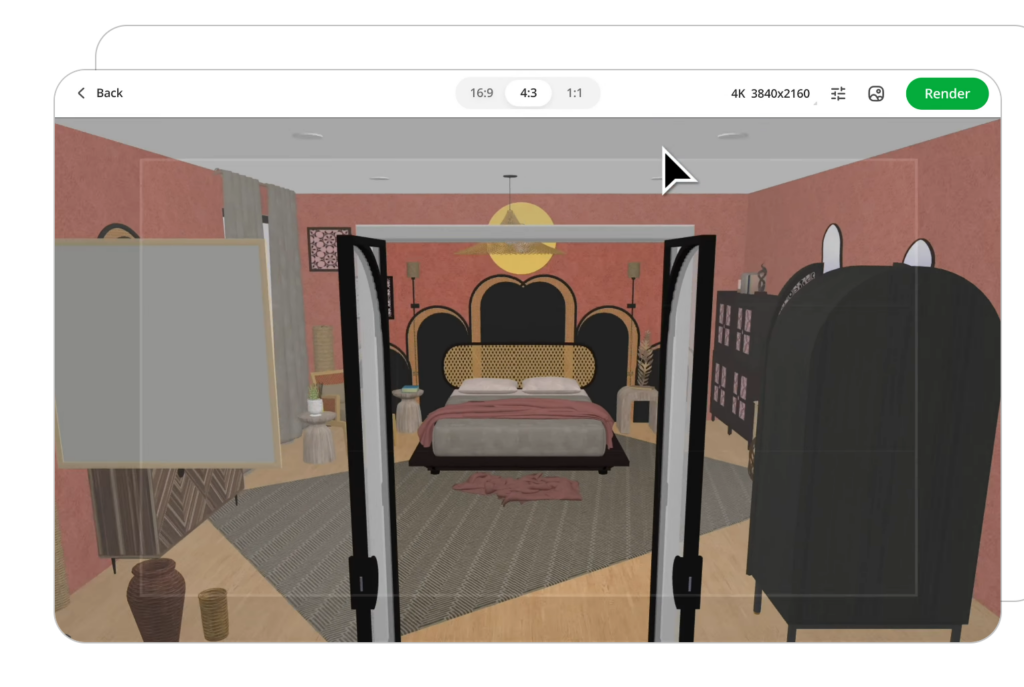
Another advanced feature is the “Snapshot” mode, which creates highly realistic images of completed designs, complete with accurate lighting, shadows, and texturing. These snapshots provide near-photographic previews of your space, making it easier to communicate ideas with family, contractors, or interior decorators. Premium users can generate even higher-quality renders, including 4K images and panoramic walkthroughs, adding depth and richness to visual presentations.
Cross-Platform Accessibility and Collaboration
Planner 5D is designed to be accessible across diverse devices, including desktop browsers, mobile apps, tablets, and even certain VR environments. This cross-platform compatibility ensures that your projects stay synchronized, no matter where you’re working. You can start a design on your computer and continue refining it on your phone or tablet with the same account, making it convenient to work on the go or collaborate with others.
Sharing projects with family, friends, or professionals is also simple. You can export designs, share links, or even present 3D walkthroughs to gather feedback before finalizing your plans. This collaborative aspect makes Planner 5D ideal not just for personal projects, but also for presentations to clients, contractors, or design teams.
Free and Premium Plans for Different Needs
Planner 5D offers both free and premium options to serve users based on their needs and commitment level. The free plan includes essential tools such as a basic 2D and 3D editor, access to a limited item catalog, and cross-platform synchronization. This tier is perfect for beginners and hobbyists who want to experiment with home design without financial investment.
For those seeking deeper customization and broader capabilities, premium plans unlock the full furniture catalog, advanced AI design features, enhanced renders, and larger item libraries. These paid tiers cater to power users, professional designers, and anyone looking to create complex or highly detailed designs. The scaling structure allows users to choose a plan that fits their goals, whether it’s simple interior planning or full home renovation visualization.
Real-World Applications and User Community
Planner 5D’s versatility makes it useful in many real-world scenarios. Homeowners planning renovations can visualize how a new kitchen layout might look, real estate agents can showcase staged properties in 3D, and interior designers can prototype ideas for clients without costly software. With millions of projects created and a large, active user community, Planner 5D serves both personal and professional audiences alike.
The platform also encourages creativity and learning. Users can explore design ideas, test color schemes, and try layouts that might otherwise seem intimidating or inaccessible. For those aspiring to improve their design skills, this hands-on approach builds confidence and supports experimentation in a risk-free environment.